





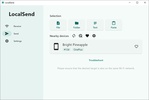




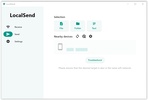
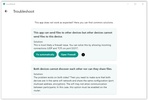
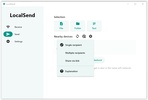

LocalSend is open source cross-platform software that allows you to share files and messages securely, offline, directly through a local network. The program employs HTTPS encryption to ensure privacy and prevent data theft. By avoiding external central servers, all file transfers are peer-to-peer.
Share files between different operating systems
One of LocalSend's most interesting aspects is its multiplatform nature. The app is available on Windows, Mac, Linux, iOS and Android. No matter who you want to send a file to, chances are you can do it with this software. The only requirement to share data between two devices, regardless of their architectures or operating systems, is that both have the LocalSend app installed.
Send any file or document without registering
You don't need to register or create a user account to use LocalSend. Your use of the app will be completely anonymous. You can send and receive files without providing any information or any size limitations. Simply select the files, folders or documents you want to send, choose your preferred sending method, and wait for the other person to accept. There is no file size limit. You can share a 10KB text document or a 6GB movie with no issues.
Send to one recipient, multiple recipients or via a link
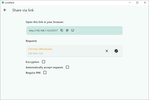
You have three options when it comes to sending files through LocalSend. You can directly choose the recipient you want to share a file with. You can make your file available to anyone connected to your local network. Or, if you prefer, you can share a link anyone can use to download the file, even if they don't have LocalSend installed. The latter option might be the most convenient, although you do have to bear in mind that the program must be open for other people to be able to download the file.
Create favorites to accept file shares automatically
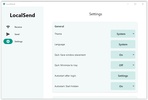
By default, LocalSend will ask you to confirm any file exchange. That being said, you can add other devices to your Favorites so that they can send you files and documents whenever they want without you having to accept them. This way, you can receive files even if you are not in front of your PC. With this system, you can send data from your Android device to Windows, even if you are not at your PC.
The easiest way to share files
Download LocalSend if you are looking for a secure tool that makes sharing files between devices much easier. Thanks to the app, you can also maintain the integrity of the items you send and receive through HTTPS encryption. Must-have software for sharing files between different computers and operating systems.


 1 reviews





















Comments
There are no opinions about LocalSend yet. Be the first! Comment